Introduction
CARLA is an open-source simulator for autonomous driving research, offering realistic environments and sensor simulation. In this guide, I’ll walk through setting up CARLA 0.9.16 on Ubuntu 22.04 with ROS 2 Humble integration.
What We’ll Cover
- Installing CARLA simulator locally and via Docker
- Understanding CARLA’s client-server architecture
- Spawning vehicles and attaching sensors
- Getting sensor data into ROS 2 topics
- Visualizing everything in RViz
Installing CARLA Locally on Ubuntu 22.04
Download the CARLA packages CARLA_0.9.16.tar.gz and AdditionalMaps_0.9.16.tar.gz from the GitHub releases page.
# Create and activate conda environment
conda create --name carla0916 python=3.10
conda activate carla0916

# Extract to your project-root folder
# If using additional maps, extract to '<project-root>/Import' and run the import script
cd <project-root>
./ImportAssets.sh

# Install the requirements
cd <project-root>/PythonAPI/examples/
python3 -m pip install -r requirements.txt

# Install CARLA python package
python3 -m pip install carla==0.9.16

# Start CARLA
cd <project-root>
./CarlaUE4.sh

# Force NVIDIA GPU usage if needed
DRI_PRIME=1 ./CarlaUE4.sh

# Reduce GPU load with quality flags
./CarlaUE4.sh -quality-level=Low
./CarlaUE4.sh -RenderOffScreen
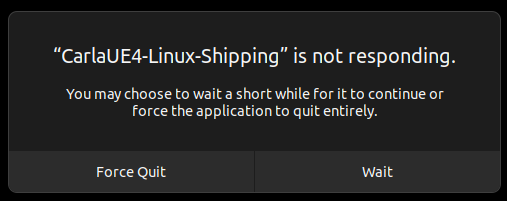
If you see a “CARLA not responding” dialog, wait patiently—it’s normal during initial load.
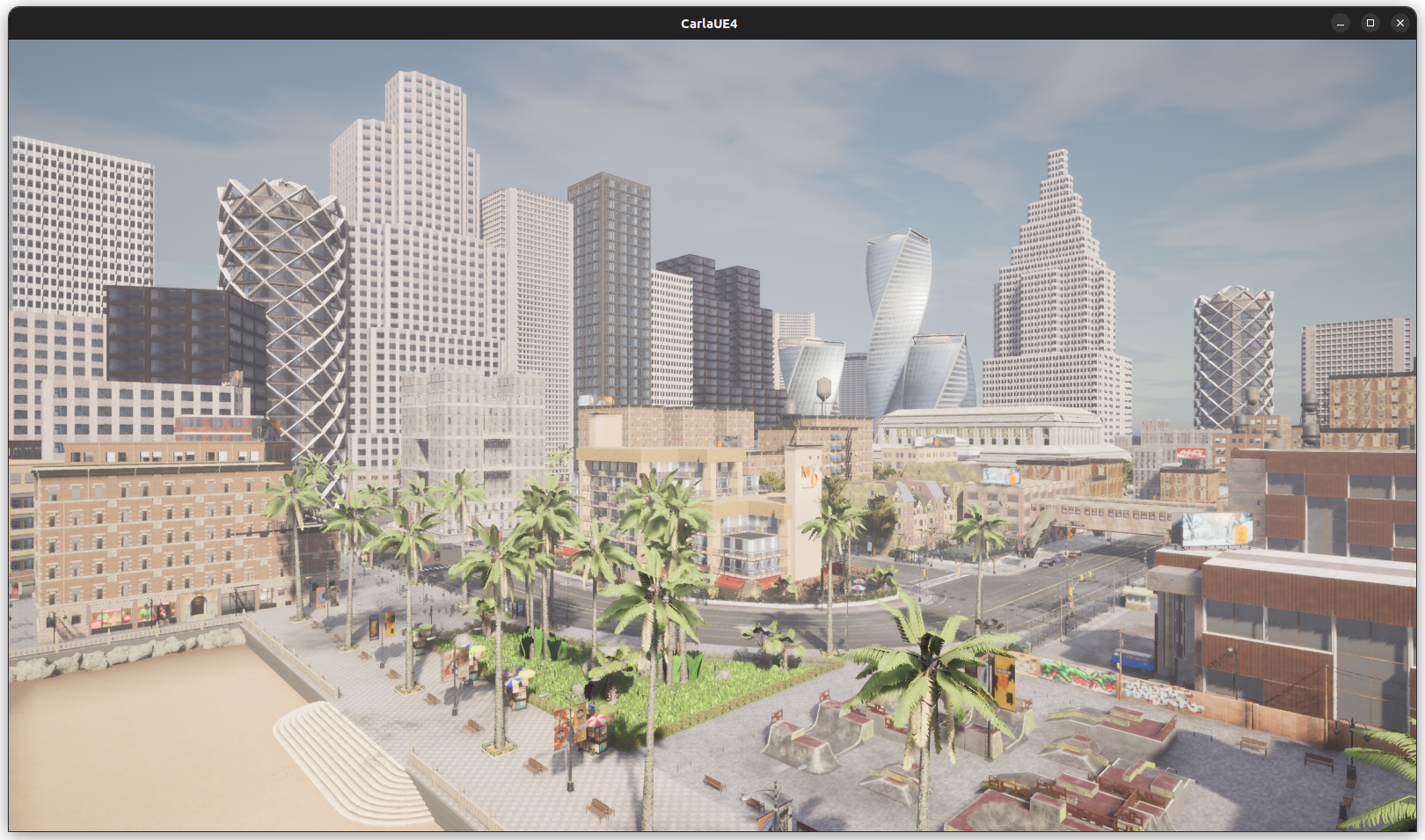
Once loaded, you’ll see the CARLA environment ready for simulation.
Spawning Traffic and Manual Control
# Spawn traffic
cd <project-root>/PythonAPI/examples
python3 generate_traffic.py

# Manual control (opens PyGame window, use WASD keys)
python3 manual_control.pyTip: For IDE autocomplete support, check out carla-python-stubs.
Installing CARLA as a Docker Container
Docker is particularly useful for running CARLA on remote servers while keeping your AV stack local.
Prerequisites: Docker Engine and NVIDIA Container Toolkit
# Pull the image
docker pull carlasim/carla:0.9.16

# Start container with GPU support
docker run -it --entrypoint bash \
  --rm \
  --name carla0916 \
  --detach \
  --runtime=nvidia \
  --net=host \
  --user=$(id -u):$(id -g) \
  --env=DISPLAY=$DISPLAY \
  --env=NVIDIA_VISIBLE_DEVICES=all \
  --env=NVIDIA_DRIVER_CAPABILITIES=all \
  --volume="/tmp/.X11-unix:/tmp/.X11-unix:rw" \
  carlasim/carla:0.9.16

# Access the container
docker exec -it carla0916 bash

# Start CARLA inside container
./CarlaUE4.sh

# Stop container when done
docker stop carla0916
Understanding CARLA’s Architecture
CARLA uses a client-server model:
- Server: Handles physics, collisions, sensor rendering
- Client: Python/C++ libraries to control the simulation
Communication happens over TCP ports (default: 2000, 2001, 2002).
CARLA 0.9.16’s Native ROS 2 Support
Great news! CARLA 0.9.16 includes direct ROS 2 support—no more wrestling with the poorly maintained carla-ros-bridge. The communication flow is now:
CARLA Server <---> ROS 2 TopicsInstead of:
CARLA Server <--> Carla ROS Bridge <--> ROSCoordinate System
CARLA uses a left-handed coordinate system, unlike ROS’s right-handed system. Keep this in mind when processing sensor data.
# Distance in meters
location = carla.Location(x=10, y=10, z=1)

# Angles in degrees (applied as yaw, pitch, roll)
rotation = carla.Rotation(pitch=10, yaw=90, roll=10)

# Combined transform
transform = carla.Transform(location, rotation)
vehicle = world.spawn_actor(vehicle_bp, transform)
Synchronous vs Asynchronous Mode
- Asynchronous (default): Server runs as fast as possible, good for setup
- Synchronous: Client controls simulation stepping, essential for data collection
# Enable synchronous mode at 50Hz
settings = world.get_settings()
settings.synchronous_mode = True
settings.fixed_delta_seconds = 0.05
world.apply_settings(settings)

# Manually step simulation
world.tick()
Setting Up ROS 2 Integration
CARLA 0.9.16 only works with rmw_fastrtps_cpp DDS implementation.
# Install FastRTPS
sudo apt update
sudo apt install ros-humble-rmw-fastrtps-cpp

# Set environment variable (add to .bashrc)
export RMW_IMPLEMENTATION=rmw_fastrtps_cpp

# Verify
printenv RMW_IMPLEMENTATION

# Start CARLA with ROS 2 support
cd <project-root>
DRI_PRIME=1 ./CarlaUE4.sh --ros2
Spawning an Ego Vehicle with Sensors
Here’s the spawn_hero.py script that spawns a vehicle with sensors configured via a JSON file:
#!/usr/bin/env python

# Copyright (c) 2025 Computer Vision Center (CVC) at the Universitat Autonoma de
# Barcelona (UAB).
#
# This work is licensed under the terms of the MIT license.
# For a copy, see <https://opensource.org/licenses/MIT>.

import argparse
import json
import logging

import carla


def _setup_vehicle(world, config):
    logging.debug("Spawning vehicle: {}".format(config.get("type")))

    bp_library = world.get_blueprint_library()
    map_ = world.get_map()

    bp = bp_library.filter(config.get("type"))[0]
    bp.set_attribute("role_name", config.get("id"))
    bp.set_attribute("ros_name", config.get("id"))

    return  world.spawn_actor(
        bp,
        map_.get_spawn_points()[config.get("spawn_point")],
        attach_to=None)


def _setup_sensors(world, vehicle, sensors_config):
    bp_library = world.get_blueprint_library()

    sensors = []
    for sensor in sensors_config:
        logging.debug("Spawning sensor: {}".format(sensor))

        bp = bp_library.filter(sensor.get("type"))[0]
        bp.set_attribute("ros_name", sensor.get("id"))
        bp.set_attribute("role_name", sensor.get("id"))
        for key, value in sensor.get("attributes", {}).items():
            bp.set_attribute(str(key), str(value))

        wp = carla.Transform(
            location=carla.Location(x=sensor["spawn_point"]["x"], y=-sensor["spawn_point"]["y"], z=sensor["spawn_point"]["z"]),
            rotation=carla.Rotation(roll=sensor["spawn_point"]["roll"], pitch=-sensor["spawn_point"]["pitch"], yaw=-sensor["spawn_point"]["yaw"])
        )

        sensors.append(
            world.spawn_actor(
                bp,
                wp,
                attach_to=vehicle
            )
        )

        sensors[-1].enable_for_ros()

    return sensors


def main(args):

    world = None
    vehicle = None
    sensors = []
    original_settings = None

    try:
        client = carla.Client(args.host, args.port)
        client.set_timeout(20.0)

        world = client.get_world()

        original_settings = world.get_settings()
        settings = world.get_settings()
        settings.synchronous_mode = True
        settings.fixed_delta_seconds = 0.05
        world.apply_settings(settings)

        traffic_manager = client.get_trafficmanager()
        traffic_manager.set_synchronous_mode(True)

        with open(args.file) as f:
            config = json.load(f)

        vehicle = _setup_vehicle(world, config)
        sensors = _setup_sensors(world, vehicle, config.get("sensors", []))

        _ = world.tick()

        # vehicle.set_autopilot(True)

        logging.info("Running...")

        while True:
            _ = world.tick()

    except KeyboardInterrupt:
        print('\nCancelled by user. Bye!')

    finally:
        if original_settings:
            world.apply_settings(original_settings)

        for sensor in sensors:
            sensor.destroy()

        if vehicle:
            vehicle.destroy()


if __name__ == '__main__':
    argparser = argparse.ArgumentParser(description='CARLA ROS2 native')
    argparser.add_argument('--host', metavar='H', default='localhost', help='IP of the host CARLA Simulator (default: localhost)')
    argparser.add_argument('--port', metavar='P', default=2000, type=int, help='TCP port of CARLA Simulator (default: 2000)')
    argparser.add_argument('-f', '--file', default='', required=True, help='File to be executed')
    argparser.add_argument('-v', '--verbose', action='store_true', dest='debug', help='print debug information')

    args = argparser.parse_args()

    log_level = logging.DEBUG if args.debug else logging.INFO
    logging.basicConfig(format='%(levelname)s: %(message)s', level=log_level)

    logging.info('Listening to server %s:%s', args.host, args.port)

    main(args)
Create a JSON config file (e.g., hero_config.json) to define your vehicle and sensors:
{
  "id": "hero",
  "type": "vehicle.tesla.model3",
  "spawn_point": 0,
  "sensors": [
    {
      "id": "rgb_front",
      "type": "sensor.camera.rgb",
      "spawn_point": {"x": 1.5, "y": 0, "z": 2.4, "roll": 0, "pitch": 0, "yaw": 0},
      "attributes": {
        "image_size_x": "1920",
        "image_size_y": "1080",
        "fov": "110"
      }
    },
    {
      "id": "lidar",
      "type": "sensor.lidar.ray_cast",
      "spawn_point": {"x": 0, "y": 0, "z": 2.5, "roll": 0, "pitch": 0, "yaw": 0},
      "attributes": {
        "channels": "64",
        "range": "100",
        "rotation_frequency": "20",
        "points_per_second": "1200000"
      }
    },
    {
      "id": "gnss",
      "type": "sensor.other.gnss",
      "spawn_point": {"x": 0, "y": 0, "z": 0, "roll": 0, "pitch": 0, "yaw": 0}
    },
    {
      "id": "imu",
      "type": "sensor.other.imu",
      "spawn_point": {"x": 0, "y": 0, "z": 0, "roll": 0, "pitch": 0, "yaw": 0}
    }
  ]
}
Run the script:
python3 spawn_hero.py -f hero_config.jsonViewing ROS 2 Topics
With CARLA running with --ros2 flag and the above script running:
# List available topics
ros2 topic list

# You should see topics like:
# /carla/hero/rgb_front/image
# /carla/hero/lidar/point_cloud
# /carla/hero/gnss
# /carla/hero/imu

# Echo sensor data
ros2 topic echo /carla/hero/gnss
Visualizing in RViz
# Launch RViz
rviz2

# Add displays for:
# - Image: /carla/hero/rgb_front/image
# - PointCloud2: /carla/hero/lidar/point_cloud
# - Set fixed frame to 'hero'
Working with Maps
CARLA includes several pre-built maps. Switch between them using:
# List available maps
print(client.get_available_maps())

# Load a specific map
client.load_world('Town04')

# Get current map info
current_map = world.get_map()
print(f"Current map: {current_map.name}")
Tips and Troubleshooting
Performance Optimization
- Use
-quality-level=Lowfor development - Use
-RenderOffScreenwhen only collecting sensor data - Consider synchronous mode with lower simulation frequency
Common Issues
- “CARLA not responding”: Wait—initial load takes time
- No GPU detected: Use
DRI_PRIME=1prefix - ROS 2 topics not appearing: Verify
RMW_IMPLEMENTATION=rmw_fastrtps_cpp - Port conflicts: Ensure ports 2000-2002 are available